
Toshabet Kenya mobile app
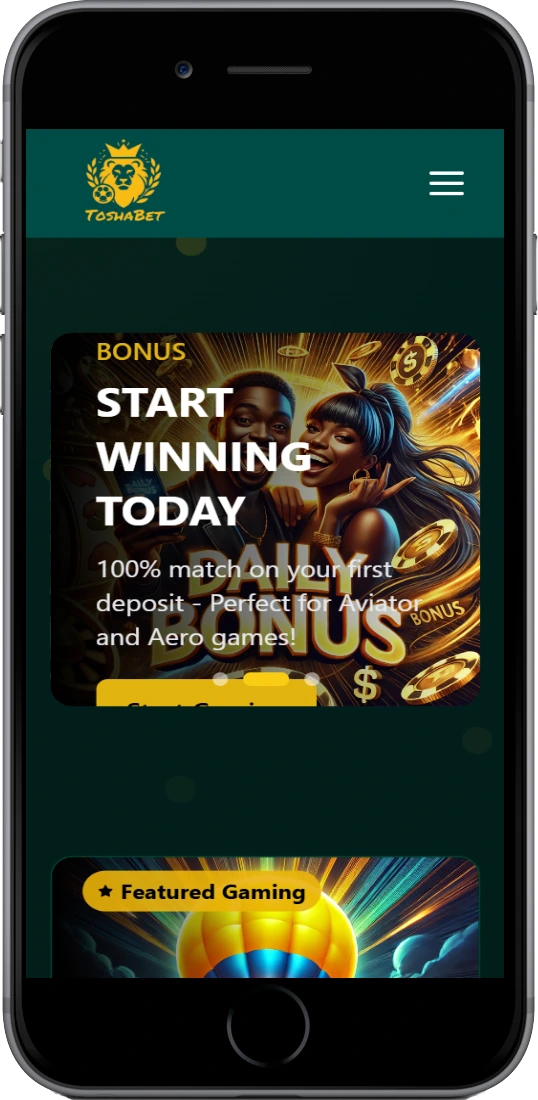
The Toshabet Kenya app brings sports betting and casino gaming to your Android or iOS device with full M-Pesa integration, live betting updates, and instant access to Aviator crash games. Download takes under 2 minutes and the app works smoothly even on older phones with limited RAM.
 Download Android
 Download iOS
Why Kenyan players choose the app
Mobile apps outperform browser versions for betting because they cache data locally, send push notifications for live matches, and let you place bets during commutes with spotty 3G connections. The Toshabet app compresses data usage by roughly 40% compared to mobile web browsing, which matters when you're betting on matatu rides between Nairobi and Nakuru.
Instant M-Pesa deposits
Link your Safaricom or Airtel number directly in settings; deposits appear in 10-15 seconds without leaving the app.
Works on older devices
App runs smoothly on Android 6.0+ and iPhone 7+, needs only 85MB storage and 2GB RAM minimum.
Live match alerts
Get push notifications for goal updates, odds changes, cashout opportunities during EPL and KPL matches.
One-tap casino access
Switch between sportsbook and casino lobby instantly—Aviator, slots, live dealers load in under 2 seconds.
Biometric login
Use fingerprint or face ID instead of typing passwords; adds security layer against unauthorized access.
Bet history tracking
View complete betting records, filter by sport or date, export statements for personal tracking or tax purposes.
How to install on your phone
Android installation
Android devices need "Unknown Sources" enabled since Google Play Store doesn't list gambling apps in Kenya. Here's the workaround most Kenyan bettors use:
- Open phone Settings, navigate to Security or Privacy section
- Enable "Install from Unknown Sources" or "Allow from this source" for your browser
- Visit Toshabet Kenya website on mobile browser, tap Download Android App button
- APK file downloads in 30-60 seconds depending on connection; file size approximately 22MB
- Open Downloads folder, tap the APK file, confirm installation permissions
- App installs in 15-20 seconds; icon appears on home screen automatically
- Open app, log in with existing credentials or register new account
First launch triggers a 5MB data download for game assets and odds feeds. Whole process from download to first bet takes roughly 4 minutes on stable wifi.
iOS installation
iPhones don't support direct APK installs, so Toshabet uses web app technology that feels identical to native apps but installs through Safari. Apple restricts gambling apps in Kenyan App Store, making this the standard method:
- Open Safari browser (must be Safari, not Chrome or Firefox)
- Go to Toshabet Kenya official site, tap iOS Download or Add to Home
- Safari opens share menu; scroll down and select "Add to Home Screen"
- Name the shortcut "Toshabet" and confirm; icon appears alongside other apps
- Tap the new icon to launch—works exactly like App Store apps with full screen mode
iOS web apps update automatically when you launch them, so you always get latest features without manual updates. Some iPhone users report smoother performance on iOS 15+ compared to older versions.
App vs mobile browser
Both options work fine for casual betting, but daily users notice differences in speed, convenience, data consumption. Here's what changes when you switch from browser to app:
| Feature | Mobile App | Mobile Browser |
|---|---|---|
| Installation time | 2-4 minutes initial setup | None, instant access |
| Loading speed | 1-2 seconds to odds page | 3-5 seconds with caching |
| Data usage per session | 3-5 MB average | 5-8 MB average |
| Push notifications | Yes, customizable alerts | No real-time updates |
| Works offline | Can view history, pending bets | Requires constant connection |
| M-Pesa integration | Saved, one-tap deposits | Manual entry each time |
| Storage required | 85-100 MB | Browser cache only |
| Biometric login | Fingerprint/Face ID supported | Password only |
Browser makes sense if you bet occasionally or switch devices frequently. App wins for anyone placing 3+ bets weekly or following live matches—the speed difference adds up when you're trying to catch changing odds during halftime.
System requirements and compatibility
Android requirements
- Operating system: Android 6.0 (Marshmallow) or newer
- RAM: 2GB minimum, 3GB recommended for smooth multitasking
- Storage: 100MB free space for app plus cache
- Internet: 3G connection minimum, 4G preferred for live streaming
- Permissions: Storage, phone state, notifications
App works on budget smartphones like Tecno Spark, Infinix Hot series, Samsung Galaxy A models popular in Kenyan market. Older devices from 2018-2019 run fine but may lag slightly during live casino sessions with video streams.
iOS requirements
- Operating system: iOS 12.0 or later
- Devices: iPhone 7 and newer, iPad Air 2+, iPod Touch 7th gen
- Storage: 50MB for web app installation
- Browser: Safari required for installation and optimal performance
- Internet: Wifi or cellular data, works on all Kenyan carriers
Since it's a progressive web app rather than App Store download, iOS version updates happen automatically server-side. No manual update process needed, which is actually more convenient than traditional apps requiring App Store approval for each update.
Key functions and navigation
App interface prioritizes speed over fancy design. Bottom navigation bar gives one-tap access to Sports, Casino, Aviator, My Bets, Account—the five sections Kenyan users access most frequently according to usage data.
Quick bet slip
Tap any odds to add selections; bet slip slides up from bottom showing stake input and potential returns. Accepts bets as low as 10 KES for testing strategies.
Live betting interface
Live matches display at top with pulsing indicators; odds update every 3-5 seconds during play. Cash out button appears when available with current offer amount.
Casino game filters
Sort by provider, RTP, volatility, or search by name. Recent games section shows your last 10 played for quick access to favorites.
Transaction history
Complete record of deposits, bets, withdrawals with timestamps and reference numbers. Export to CSV for spreadsheet analysis or record-keeping.
Bonus tracker
Shows active bonuses, wagering progress bars, expiry dates. Separates sports and casino bonus balances to avoid confusion about rollover requirements.
Settings customization
Toggle notifications by type, set deposit limits, choose odds format (decimal/fractional), enable dark mode, manage linked M-Pesa numbers.
Common installation issues
APK won't install on Android
Check that "Unknown Sources" is enabled in Security settings. Some phones like Huawei require enabling it specifically for the browser app you're downloading from (Chrome, Firefox, etc). If that doesn't work, try downloading APK using different browser—sometimes Chrome blocks files that Firefox allows.
App crashes on launch
Clear app cache in phone Settings > Apps > Toshabet > Storage > Clear Cache. If crash persists, uninstall completely and download fresh APK from official site. Corrupted downloads cause most crashes, especially on unstable wifi.
Can't add to home screen on iPhone
Must use Safari browser, not Chrome or other browsers. Safari share button looks different on newer iOS—it's the square with up arrow at bottom of screen. If option still doesn't appear, update iOS to latest version available for your device.
M-Pesa deposits fail in app
Confirm M-Pesa number matches exactly what's registered on your account, including country code. Check M-Pesa balance covers deposit amount plus transaction fee. During peak hours (lunch 12-2 PM, evening 6-9 PM) Safaricom sometimes delays transactions 5-10 minutes.